
BUILT FOR CONSTRUCTION & ENGINEERING OPERATIONS
Transform daily site reporting into clear project visibility.
ProjectOps brings field updates, workforce records, materials, equipment, site photographs, safety observations, approvals and management reporting into one structured digital workspace.
Mobile-readyField reporting
Audit-readyApproval trails
Management-readyProject visibility
LIVE REPORTING OVERVIEW
DAILY REPORT OVERVIEWSunrise Towers — Block A
20 May 2026Site evidence

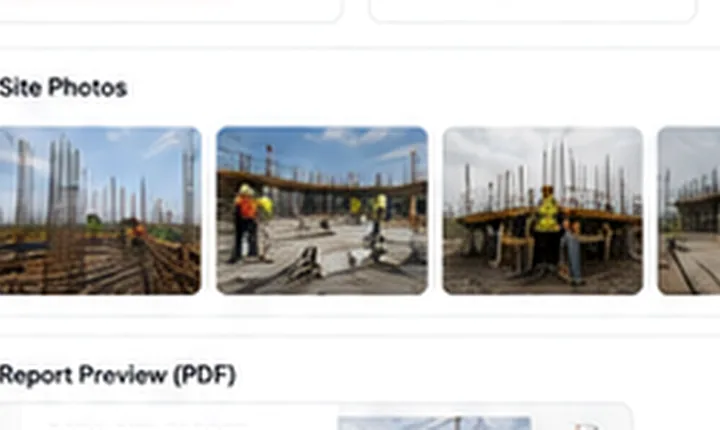
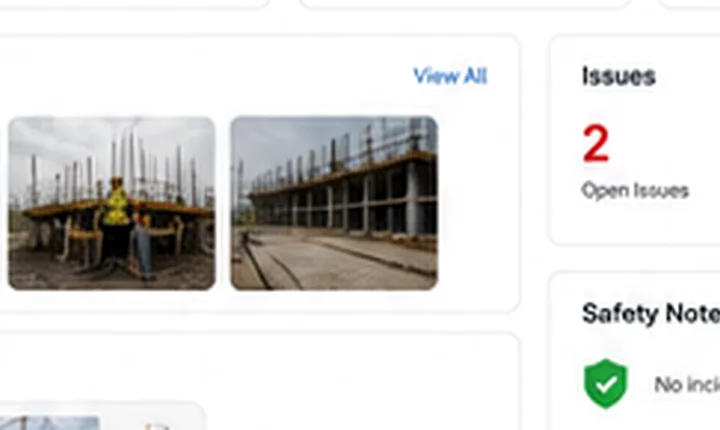
Safety status No incidents reported
NEW DAILY REPORTSunrise Towers
Workforce · Materials · Photos · Issues
48Workers onsite
Safety notes captured
DESIGNED FORCONTRACTORSENGINEERING FIRMSCONSULTANTSPROJECT TEAMSENTERPRISE OPERATIONS
EXECUTIVE PROJECT CONTROL
A professional reporting layer for organisations that cannot afford information gaps.
Replace scattered WhatsApp updates, disconnected spreadsheets and manually assembled reports with a repeatable workflow that gives field teams a faster way to report and management teams a clearer way to review.
Structured daily progress reports
Capture completed work, reporting periods, site conditions, delays, photos and engineer confirmation through one mobile-friendly workflow.
Photo-based evidence
Keep project photographs organised against each daily report.
Member notifications
Notify active company members when new reports are submitted.
Approvals and audit records
Preserve review status, reviewer identity, timestamps and comments.
MODULAR REPORTING WORKSPACE
Everything required to maintain disciplined project records.
ProjectOps gives field users and management teams a consistent operating environment without the complexity of a full ERP rollout.
Daily Reporting
Structured work-completed records, weather notes, delays and executive summaries.
Workforce Control
Category-based labour records, hours and worker-directory visibility.
Materials & Equipment
Capture materials received, materials used and equipment activity.
Photo Evidence
Attach site photographs and preserve report-linked visual records.
Issues & Safety
Track delays, responsible parties, safety notes and outstanding actions.
Review & Approvals
Maintain submitted, reviewed, approved and rejected report states.
Domain & Storage
Apply plan-based storage limits and customer-owned domain workflows.
Security Layer
Email OTP verification, login-time 2FA and auditable platform actions.
INDUSTRY USE CASES
Built for teams delivering real work across active sites.
Use ProjectOps as a focused reporting layer for site-level operations, multi-project visibility and management review.
Construction Companies
Standardise daily progress reporting across multiple projects and site teams.
Civil Engineering Firms
Maintain structured field evidence, workforce records and issue visibility.
MEP & Specialist Contractors
Document installation progress, constraints and responsible actions.
Consultants & Project Managers
Review report histories, approvals and project-level observations.
Fit-Out & Interior Teams
Capture phase-based work completion, photos and pending items.
Institutions & Public Projects
Preserve more disciplined and reviewable daily project records.
REGIONAL DEPLOYMENT INFORMATION
Construction reporting software for project teams across South Asia and Gulf markets.
Explore region-specific information for contractors, consultants and engineering firms seeking a structured daily site-reporting and project-visibility platform.


ENTERPRISE DELIVERY OPTIONS
Scale from a focused trial to a controlled corporate deployment.
Start with a standard ProjectOps workspace and extend the deployment with custom domains, storage allocations, audit controls, account-owner permissions and SMTP-backed security workflows.
Customer-owned domain workflow
Support controlled domain requests, DNS verification and SSL status review.
Email OTP and login-time 2FA
Add verified onboarding and a second authentication step for eligible accounts.
Storage and package controls
Apply workspace quotas, warning thresholds and upgrade-request workflows.
Tenant-isolated project records
Keep customer workspaces and secured media access separated by organisation.
FLEXIBLE COMMERCIAL PLANS
Choose a reporting workspace that fits your operation.
Start small, add projects and users as your requirements expand, or request a tailored enterprise deployment.
Starter
For small contractors and focused project teams.
USD 15.00/ month
- Up to 3 active projects
- Up to 5 named users
- 1 GB storage allocation
- ProjectOps workspace URL
- Standard support route
MOST POPULAR
BUSINESSBusiness
For growing engineering firms managing multiple active sites.
USD 35.00/ month
- Up to 15 active projects
- Up to 25 named users
- 5 GB storage allocation
- Custom-domain workflow
- Priority-support route
Enterprise
For large contractors, consultants and white-label deployments.
USD 65.00/ month
- Up to 100 active projects
- Up to 100 named users
- 20 GB storage allocation
- Custom-domain workflow
- Priority-support route
Need a tailored user limit, storage allocation, deployment scope or procurement-ready commercial proposal?
Request Enterprise Quotation TRUST CENTER
Controls designed to support more accountable reporting.
ProjectOps presents the controls available in the platform foundation. Contract-specific commitments, third-party certifications and deployment assurances should be documented separately where applicable.
Email OTP & 2FA
Verified onboarding and login-time email-code workflows for eligible users.
AVAILABLE IN PLATFORMRole-Based Access
Platform owner, company owner, admin, engineer, worker and viewer roles.
AVAILABLE IN PLATFORMAudit Records
Maintain activity logs, approval comments and reviewer timestamps.
AVAILABLE IN PLATFORMControlled Media
Secured file delivery, MIME checks and package-based workspace quotas.
AVAILABLE IN PLATFORMDomain Workflow
Track requested domains, DNS verification, SSL status and approvals.
CONFIGURED PER DEPLOYMENTSMTP Notifications
Queue email alerts when reports are submitted by company members.
SMTP CONFIGURATION REQUIRED FREQUENTLY ASKED QUESTIONS
Clear answers before your first deployment.
Start with a trial workspace, test the daily-reporting workflow and expand the deployment after your operational review.
Apply for TrialCan our site engineers submit reports from mobile devices?+
Yes. The reporting workflow is designed to work from desktop, tablet and mobile browsers.
Can our management team receive notifications?+
Yes. SMTP-backed email notifications can be configured for active company members when a report is submitted.
Can we use our own company domain?+
Business and Enterprise deployments can request a customer-owned reporting domain. DNS and SSL readiness are reviewed before activation.
Can we control storage limits?+
Yes. Each plan has a default workspace quota and the platform owner can assign extra storage or a custom override.
Does ProjectOps replace a full ERP system?+
ProjectOps is positioned as a focused reporting and project-visibility layer. It can complement broader ERP, BIM and document-management environments.
Can we request a corporate quotation?+
Yes. Enterprise requirements, custom limits and deployment scope can be reviewed before a formal commercial offer is issued.
START WITH A CONTROLLED TRIAL
Give your site teams a clearer way to report progress.
Register your organisation, verify your account-owner email and test ProjectOps with your project team.